Car Livery Design Online. Graphics on a Real Body, Not a Flat Template
Design a livery — racing stripes, race-team graphics, custom wrap artwork — and see it rendered on your actual car. Templates have no door handles. Real cars do, and that is where livery designs go wrong.
Drop your car photo here
JPG, PNG, HEIC, WEBP — up to 10MB
By uploading you confirm you own this photo or have permission to use it. Terms.
Finish
Color
Candy Red
Design
Decals & graphics
Layer extra details on top of the wrap. Combine as many as you want.
Door number
Type a number or short text and the AI paints it on both front doors.
Paint separate parts
Override the colour for any part. Tap a part, then pick its colour. Tap again to clear.
Your own logo / sticker BETA
Upload a PNG/SVG with transparent background. We composite it onto the chosen zone and the AI renders it as a real vinyl wrap.
No photo? Try an example
The stock cars are just examples — uploads have no model list. Any make, any year.
Real Wrap Designs
Four wraps. Four cars. One photo each.
Different finish families, satin, mirror chrome, gloss, factory wrap, applied to real cars.
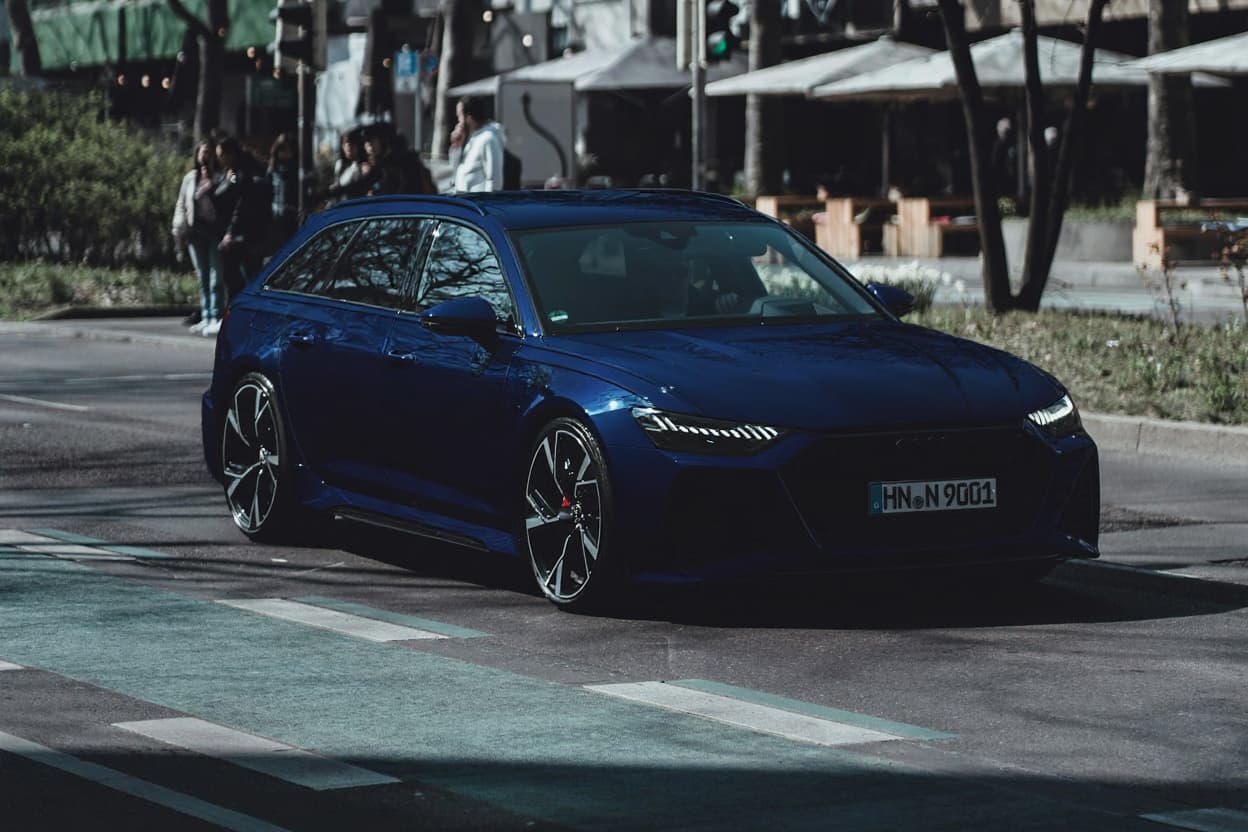
Satin Midnight Blue
Audi RS6 Avant
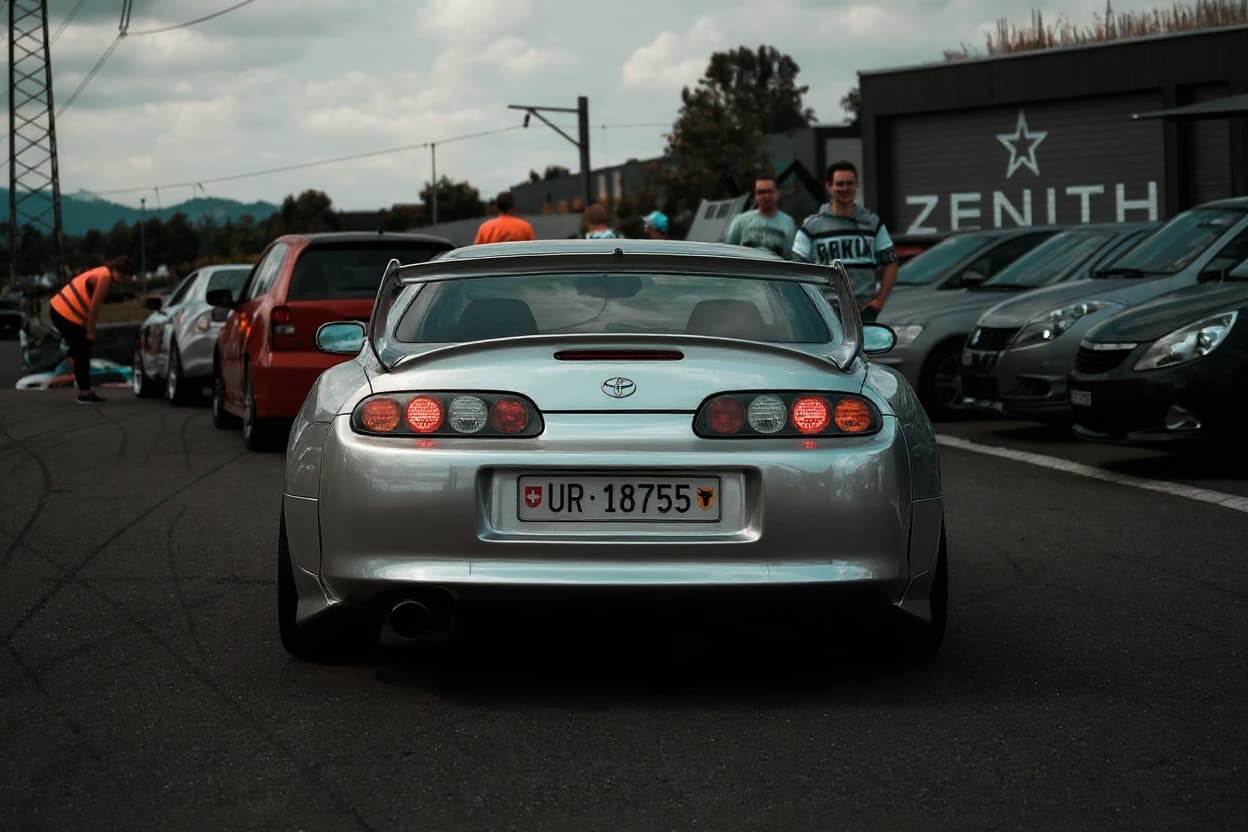
Brushed Chrome
Toyota Supra MK4

Custom Livery
Dodge Charger
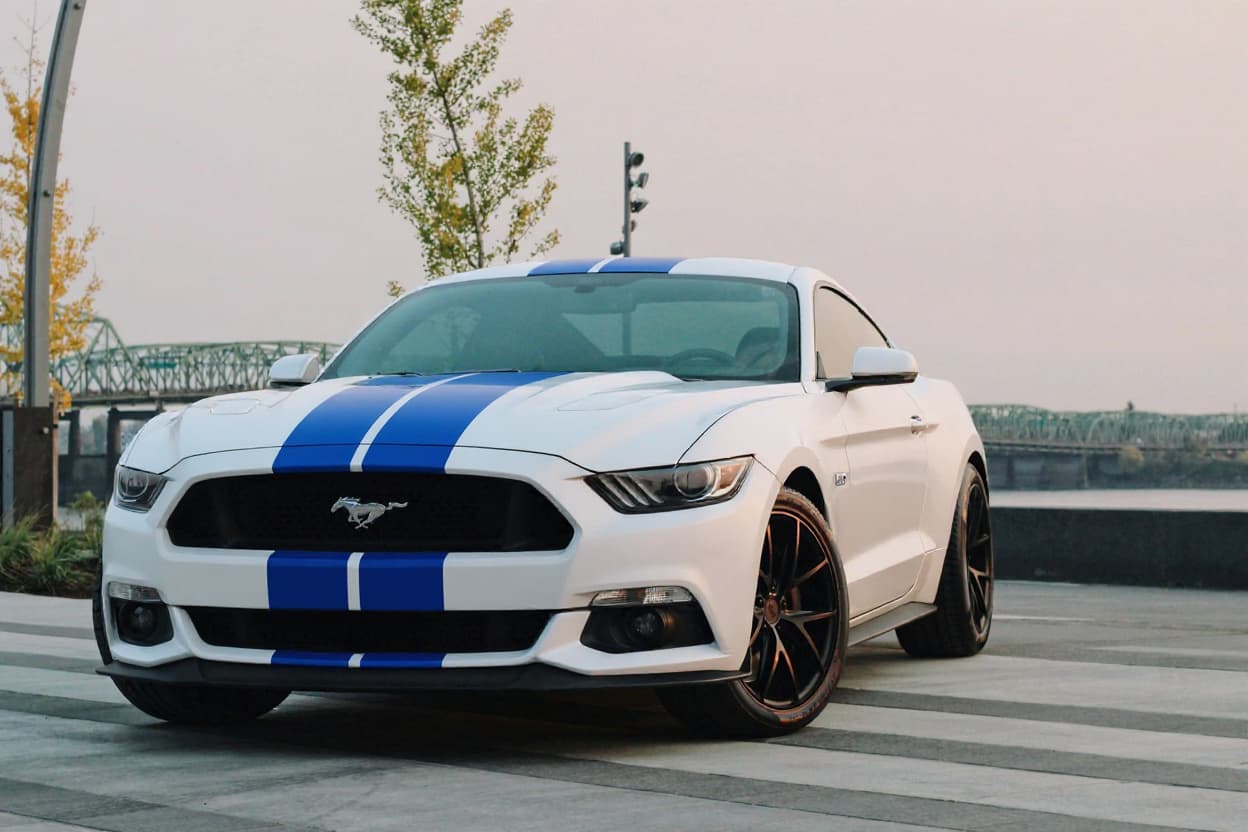
Wrap Design
Ford Mustang
Why AI Wrap Design Beats Flat Templates
Most “car wrap design online” tools are template editors. You pick a generic outline of your car type, drag colors and graphics onto it, and get a flat 2D mock-up. It communicates the design intent but not what the finished car looks like. Anyone who has ever approved a flat template and been surprised by the result when it came off the plotter knows this gap.
TunedRides takes a different approach. Instead of editing a flat template, you upload a photo of your actual car and let the AI render the wrap design onto it. The output is a high-fidelity 3D image showing the wrap as it would appear on the installed vehicle, with accurate material finish, correct light reflections, and panel-to-panel continuity. The key word difficulty here is 12, indicating manageable competition, and the quality difference from our AI approach is the core differentiator.
Design Options Available Online
The wrap design tool covers the full range of vinyl design options:
- Solid color wraps, any color in matte, satin, gloss, or color-shift finish
- Two-tone designs, split color configurations on roof, hood, or lower body
- Racing stripes, single, dual, or multi-stripe configurations in any color
- Carbon fiber accents, hood, roof, spoiler, mirror cap treatments
- Full livery designs, motorsport-inspired all-over graphics
- Matte-over-gloss, contrasting finish on body panels with gloss base
- Chrome and color-shift accents, high-impact vinyl on specific panels
- Camo and pattern wraps, military, digital, or custom patterns
For Wrap Shops and Fleet Companies
Car wrap design is as much a sales tool as a creative one. Wrap shops close more jobs when clients can see exactly what the finished vehicle will look like before sign-off. TunedRides produces that preview faster and at higher visual quality than any template-based system.
Fleet companies use wrap design to standardize branding across multiple vehicle types, visualizing how a livery translates from a compact sedan to a panel van before ordering vinyl from the printer. The ability to preview on the actual vehicle type, rather than a generic template, catches design issues before they become expensive reprints.
B2B Pro accounts on TunedRides support high-volume renders, making it practical to generate multiple design variations per client and iterate quickly on feedback. If the work is branded fleet livery — vans, box trucks, multi-vehicle rollouts — the commercial vehicle wrap designer is built for that, including the USDOT marking rule that catches liveries at print.
Why Liveries Fail on Real Cars (and Never on the Template)
A livery is artwork applied to a shape that was never designed to carry it, and that is the whole difficulty. On a flat template the design is balanced, the stripe is straight and the logo sits where you put it. On the real car that same stripe crosses a door shut-line and steps sideways by a few millimetres; the logo lands half on the rear arch and bends; a graphic that read as a clean diagonal disappears behind a wing mirror. None of this is visible until the artwork meets the body — which, in a traditional workflow, is after the film has been printed.
Three specific traps account for most of it. Panel gaps break continuous lines, so any graphic crossing a door edge needs to be designed to survive the interruption. Compound curves — arches, bumper corners, the shoulder of a wing — stretch and foreshorten artwork, so circles become ovals and even-width stripes visibly taper. Fixed obstacles — handles, mirrors, fuel flaps, badges — sit on top of your design and will not move. A livery that respects all three tends to use bold, simple, large shapes; a livery that ignores them tends to use fine detail and small type, which is exactly what gets destroyed.
Racing Stripes and Classic Livery Language
Most livery ideas trace back to motorsport, and it helps to know what you are quoting. The centre stripe (one or two bands straight over bonnet, roof and boot) is the classic American muscle and GT treatment, and it demands symmetry — a centre stripe that is even two centimetres off-centre is instantly, painfully obvious on the roof. The offset or “Le Mans” stripe, run to one side of the centreline, exists partly because it is more forgiving and partly because it looks quicker; it suits cars whose bonnets are busy with vents or bulges.
Then there are the national racing colours, which are still the most reliable shorthand in the whole vocabulary: British racing green, Italian rosso corsa, French blue, German silver, and the white-with-red of Japanese racing. And the sponsor liveries that became design objects in their own right — the pale blue and orange of Gulf, the four-stripe Martini scheme — work because they are simple, high-contrast, and built from large fields of colour that survive being wrapped around a real car. That is the lesson worth stealing, not the logos.
For the film costs behind any of this, see car wrapping film prices — note that a printed livery costs more than a plain colour change, because the artwork is printed onto the film and then laminated, rather than simply cut from stock colour.
Frequently Asked Questions
Is this different from a wrap design template?
Yes. Significantly. Flat wrap design templates give you a 2D view of a wrap pattern on a generic outline. TunedRides renders the wrap design on your actual car photo in 3D perspective, with accurate material physics. So what you see is what the installer will produce. It's the difference between a blueprint and a photograph of the finished product.
Can I use my own design?
Custom design upload is on our roadmap for the Pro tier. Currently you can choose from our library of wrap designs, color combinations, patterns, and styles and preview them on your car. We're adding the ability to upload custom graphics and livery artwork in a future update.
What file formats do you support for the output render?
Free tier renders are delivered as watermarked JPGs at standard resolution. Pro renders are full HD PNG and JPG without watermarks. For wrap shops who need renders for client presentations or printing references, the Pro output quality is suitable for display use.
Can businesses use this for clients?
Yes. And this is one of our primary use cases. Wrap shops, fleet companies, and automotive dealers use TunedRides to show clients real previews of proposed designs on their actual vehicles. Pro accounts support high-volume renders with monthly caps tuned for B2B, making it suitable for ongoing client presentation workflows.
How to Design a Car Wrap Online
Designing a car wrap used to require expensive design software and hours of work. AI-powered tools have collapsed the process to under a minute. Here's how professional wrap designers approach the process. And how AI accelerates every step.
- 01
Choose your base color or finish
Start with the dominant color of the wrap. This sets the tone for everything else, graphics, accents, and finish type (gloss, matte, satin) build on this foundation.
- 02
Preview it on your actual car
Use an AI render to see the base color on your specific vehicle before adding any design elements. Color looks different on different body shapes and sizes.
- 03
Add graphics, accents, or patterns
Racing stripes, geometric patterns, livery graphics, or full printed artwork. These are typically applied as cut vinyl or printed film on top of the base wrap.
- 04
Refine wheel and trim colors
A wrap design isn't complete without considering wheel color and trim accents. The best wraps use two-tone or contrasting elements across the whole vehicle.
- 05
Export and share with your shop
Export your final render as a visual reference for your wrap shop. This eliminates design ambiguity, speeds up the brief, and ensures both parties have the same expectations.
Wrap Design Trends for 2026
These design directions are dominating the wrap scene in 2026. Try them on your car.
Stealth Matte Monochromes
Solid matte black, gray, or dark green with zero graphic elements. The premium restraint look that signals taste and confidence.
Satin Two-Tone
Body in one satin color, roof and pillars in a darker contrasting satin. A split that manufacturers like BMW and Mercedes have made mainstream.
Military & Earth Tones
Olive drab, desert sand, and camouflage-inspired palettes. Dominant on SUVs and trucks. Urban tactical aesthetic.
Racing Livery Revival
Vintage racing liveries, Gulf, Martini, JGTC retro, applied to modern sports cars. The Porsche 911 in Gulf colors never gets old.
Color-Shift / Chameleon
Films that shift from one color to another depending on angle and light. Purple-to-green and blue-to-gold are the most popular combinations.
Gradient / Fade Wraps
Printed wraps with gradient transitions from one color to another across the body. Technically complex but visually stunning on the right body shape.
Also Try These Tools
Design your wrap. See it on your real car.
Free to try now — your first render needs no sign-up and no credit card. A free account adds 2 more renders.
Try it free →